
The problem: people wrote in, but not all of them could hire him
This consultant's ideal client owes 20 million pesos or more, or has a business, a guarantee or assets at stake. Every conversation with someone who doesn't fit costs him an hour.
That's why the content filters from day one. There's one landing page per audience, businesses and individuals, a “Who this call is for” section and the line “I don't promise you an outcome”. A filter isn't written once: it gets sharper every time data comes in.
Lead generation landing page: before and after
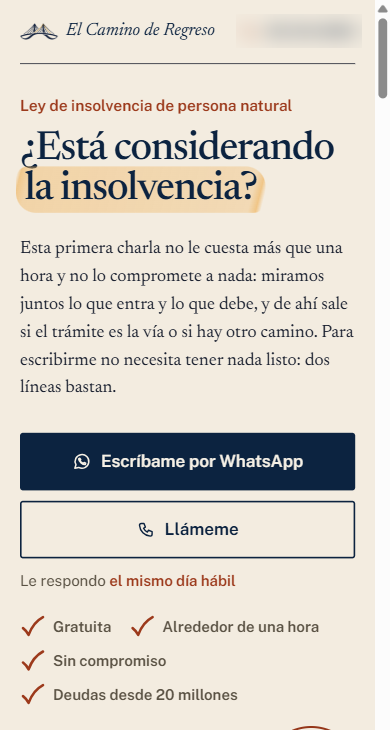
The first conversations showed where to tighten: one person wanted a loan and another owed 300,000 pesos. On October 28 I adjusted the landing page with four changes:
the amount at the top and in plain sight: “Debts from 20 million”;
a call button, next to WhatsApp;
the filter by situation: a business, a guarantee or assets;
for smaller debts, the free route the law provides, before paying for support.
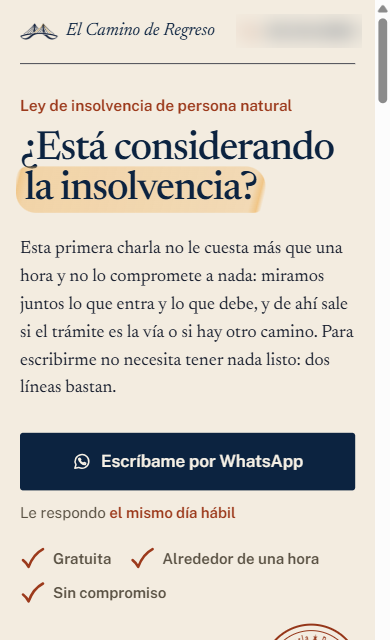
The Oct 17 version against the Oct 28 one, captured at 390 px.
The call button was added because part of the audience prefers to talk.
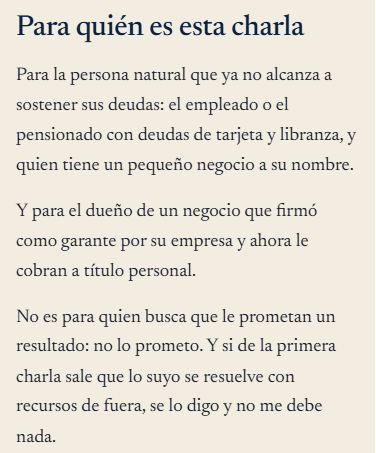
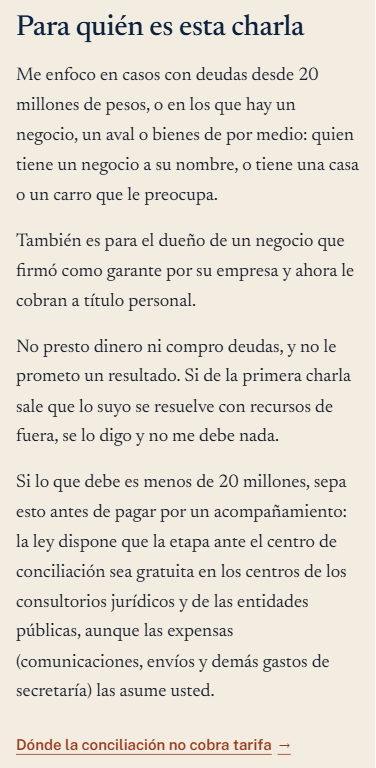
Screenshots from Oct 17 and Oct 29, 2026.
The filter combines the amount and the situation.
The first step on the ladder filters too
The value ladder has three steps: free tools and guides, a free first call, and the paid support. The fee calculator draws everyone in, which builds trust, but its answer changes with the input.
With a 3 million peso debt, it suggests the free route. With 45 million, it invites the first call. The guides end with “Before you write to me,” so the filter works across the whole site, not just on the ad landing page.
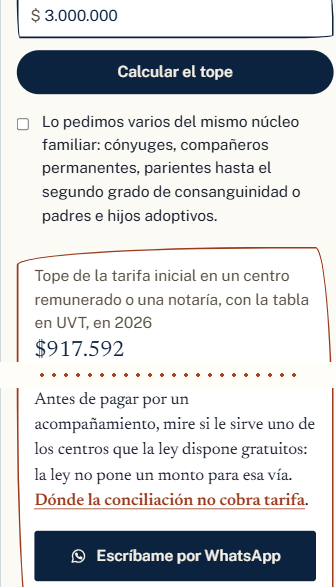 With 3 million: the free route
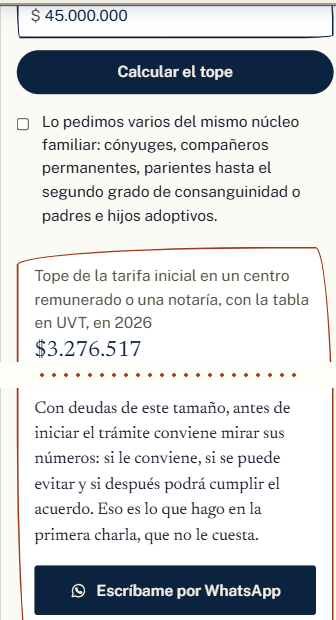 With 45 million: the first call
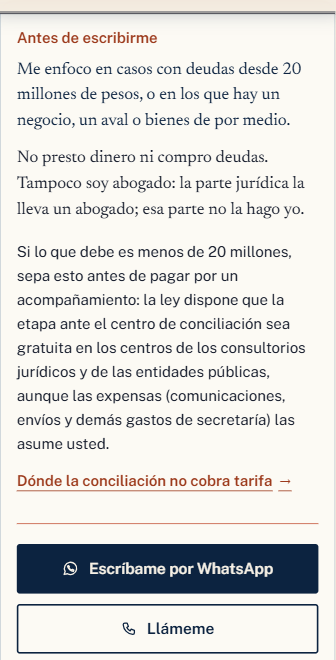 “Before you write to me”, at the end of the guides
Screenshots from Oct 29, 2026 (the site is in Spanish).
The answer changes with the input, and the filter also lives in the organic content.
Qualified leads: the funnel, from impression to conversation
I measured every step, and the three sources agree. Google Ads counts 6 conversions and GA4 counts 8 events, because one person tapped the button more than once.
| Step | Figure | Source |
|---|---|---|
| Impressions on Google Search | 3,919 | Google Ads |
| Clicks (6.15% CTR, about 452 pesos per click) | 241 | Google Ads |
| Sessions on the landing page | 221 | GA4 |
| People who tapped WhatsApp | 6 | GA4 and Google Ads |
| WhatsApp conversations | 5 | Client log |
| Qualified leads | 2 | Client log |
“Persona natural” search campaign, Oct 6–28, 2026, with 109,050 pesos spent: about 21,800 pesos per conversation and about 54,500 per qualified lead. The full ad plan is in the SEO and Google Ads plan behind it.
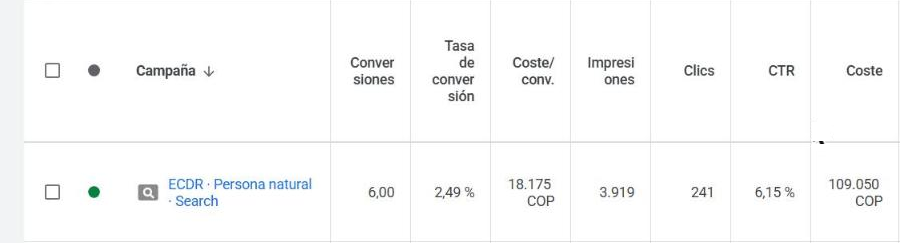
6 conversions · 109,050 pesos
Google Ads, Oct 6–28, 2026 (interface in Spanish).
Google Ads conversions are taps on the WhatsApp button; conversations and qualified leads come from the client's log.
What the data said, and how I used it
Three data points changed decisions in the campaign and the content. None was obvious before measuring, and all three apply to any high-ticket service running Google Ads: what people search for, where they write from and which ad network converts.
The searches with volume are about understanding, not buying. “Desventajas de la ley de insolvencia” (downsides of the insolvency law) gets 880 searches a month; “asesor en insolvencia” (insolvency advisor) gets no measurable volume (DataForSEO, Colombia, Oct 28, 2026). So the filter lives inside the pages that explain.
All 6 conversions came from outside Bogotá. Limiting the ads to the consultant's city, which seemed logical, would have left the campaign at zero.
Google's search partners brought half of the conversions with 8% of the spend. They stay in.
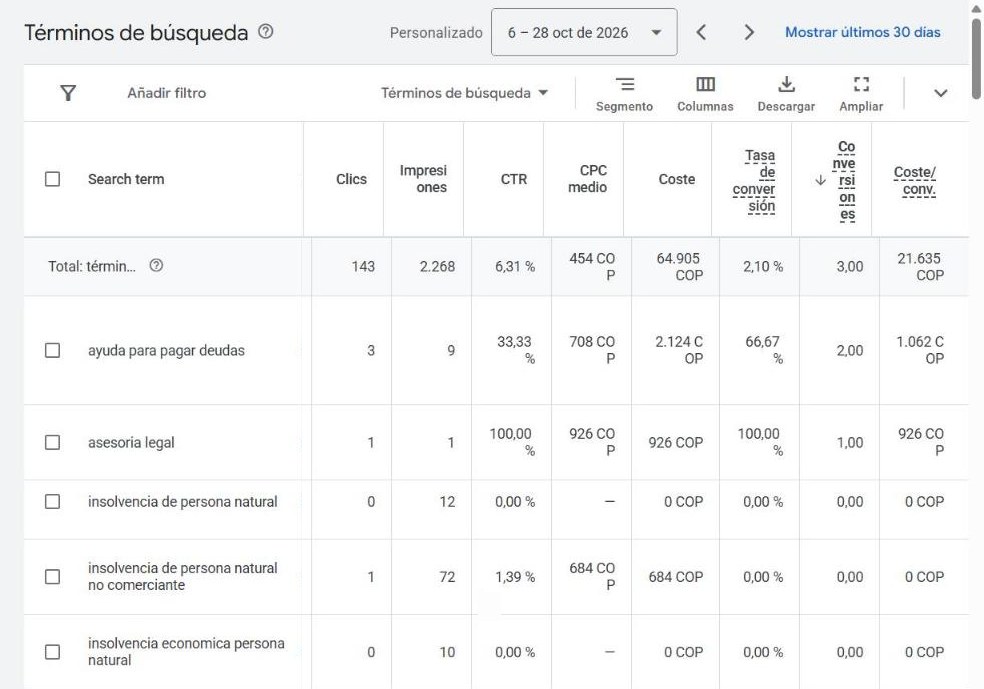
“ayuda para pagar deudas” (help paying debts): 2 conversions
Google Ads, search terms, Oct 6–28, 2026.
The search that converted most asks for help, not for an advisor.
The visibility behind the funnel
SEO puts the site in front of people trying to understand the law; the ads bring in people ready to talk. Both doors lead to the same filter. In Search Console, the site adds up to 60 clicks and 6,422 impressions since July 11, 2026 (domain property, read on Oct 29, 2026).
A group of 6 pages on personal insolvency, built from scratch, went from 0 to 591 impressions since October 4.
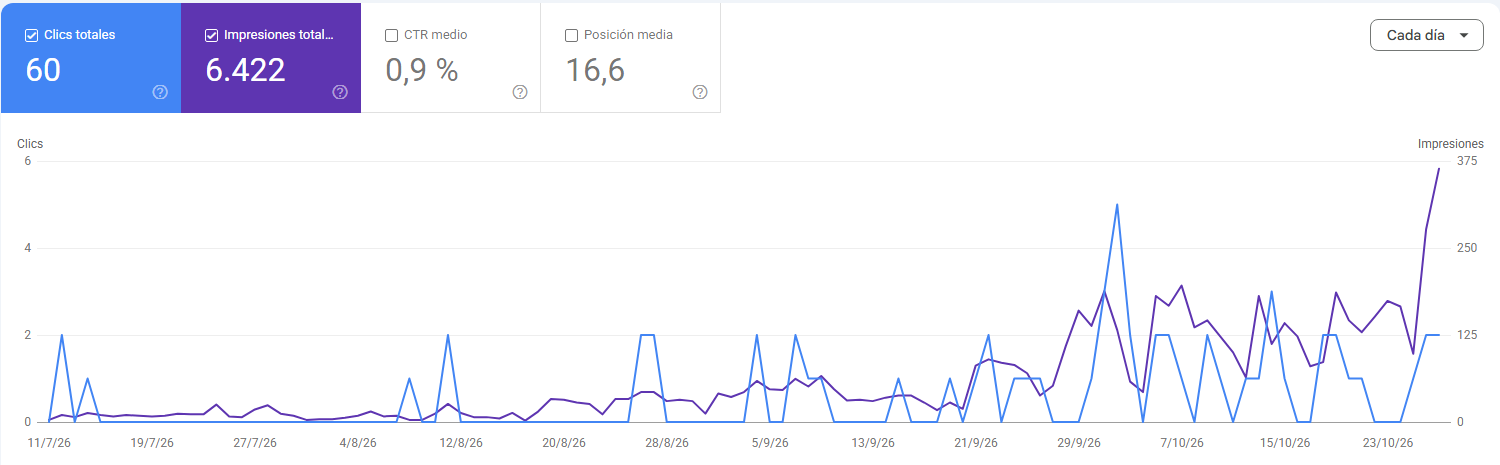
60 clicks · 6,422 impressions
Search Console, domain property, Jul 11 to Oct 28, 2026, read on Oct 29, 2026. The position shown (16.6) is a site-wide average for that period.
Here SEO counts as visibility, not as leads.
Web design portfolio: two AI-built websites, designed for the phone first
Both are prototypes for Bogotá businesses, with each name hidden: a gym and a print shop. Both score 99 out of 100 for mobile performance and 100 for accessibility (PageSpeed Insights, median of 3 runs, Oct 29, 2026). Below are the decisions that make each page work on each screen.
Mobile and desktop aren't the same page: what changes on each
The same page gets designed twice. On a phone it's read with a thumb, in a single column; on a desktop, with a mouse and room to compare. These are the differences I built into both sites:
The main button. On the phone it stays pinned at the bottom, within thumb reach. On the gym site it's “Free class on WhatsApp” and “Call”; on the print shop, WhatsApp, Quote and Cart, with Quote in the middle. On desktop it sits at the top, next to the menu.
The menu. On desktop it's fully visible; on the phone it folds into a button and leaves the screen to the headline.
The columns. On desktop, photo and text sit side by side, and plans or products are compared in several columns. On the phone everything drops into one column, in the order people decide: what it is, what it costs and how to order.
The headline. It's the same on both screens and carries the main search, but on the phone it fits on the first screen without pushing the button out of view.
Gym · home page
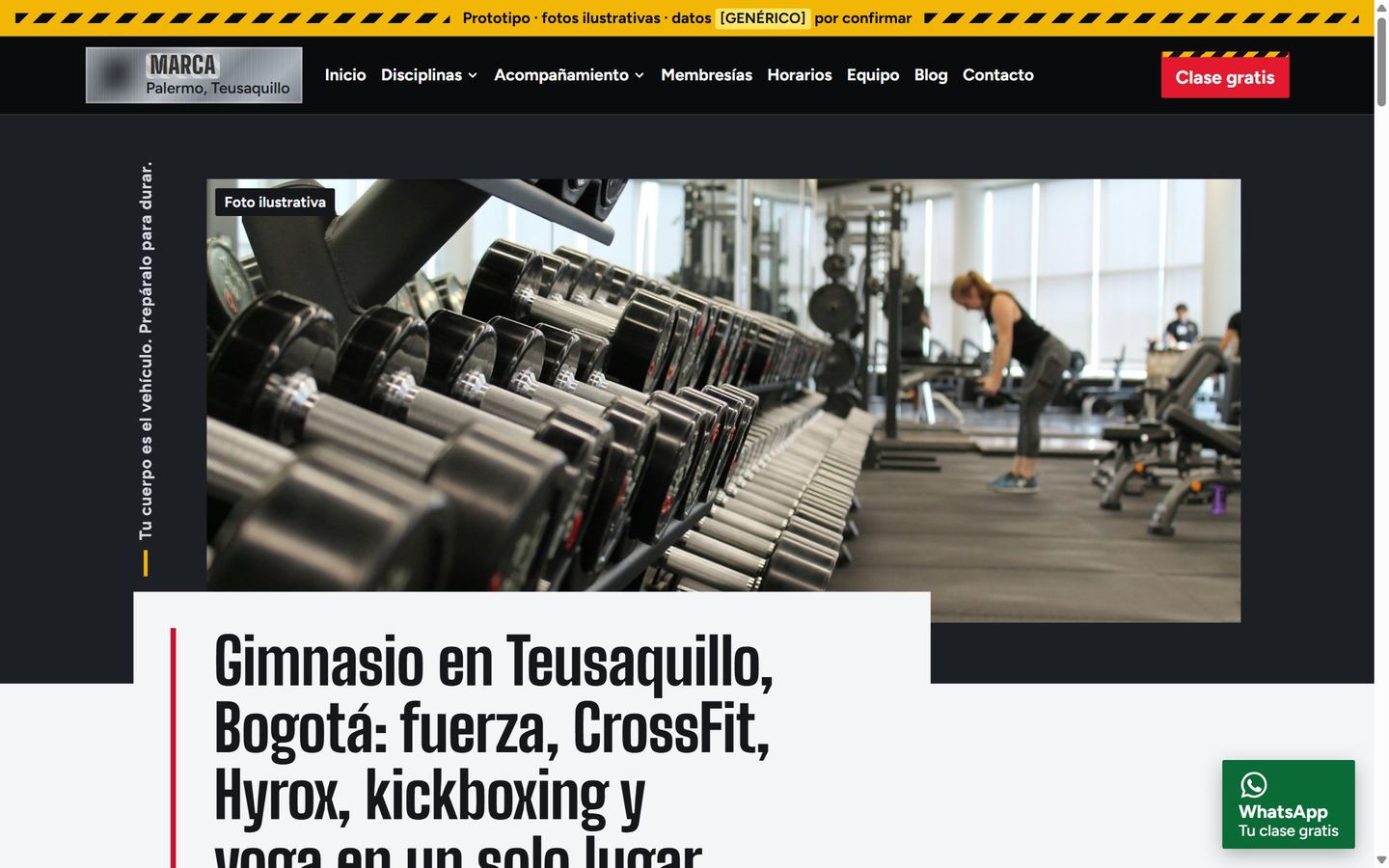
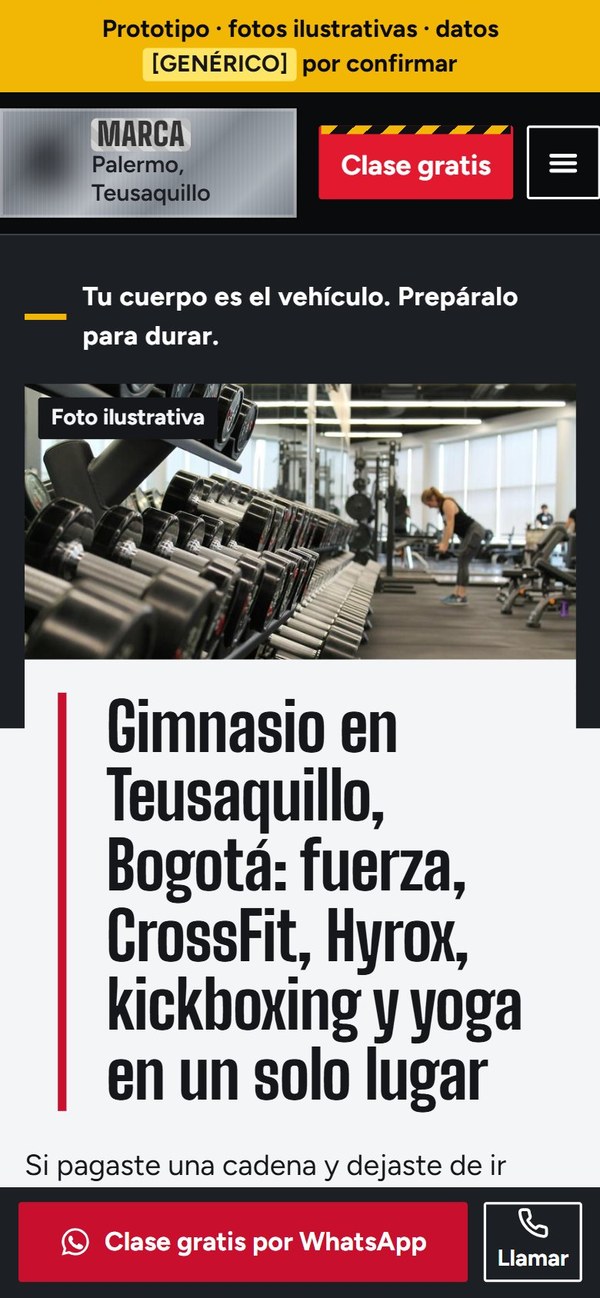
PageSpeed Insights mobile, median of 3 runs, Oct 29, 2026: 99 for performance and 100 for accessibility.
The main button moves depending on the screen.
Gym · free class
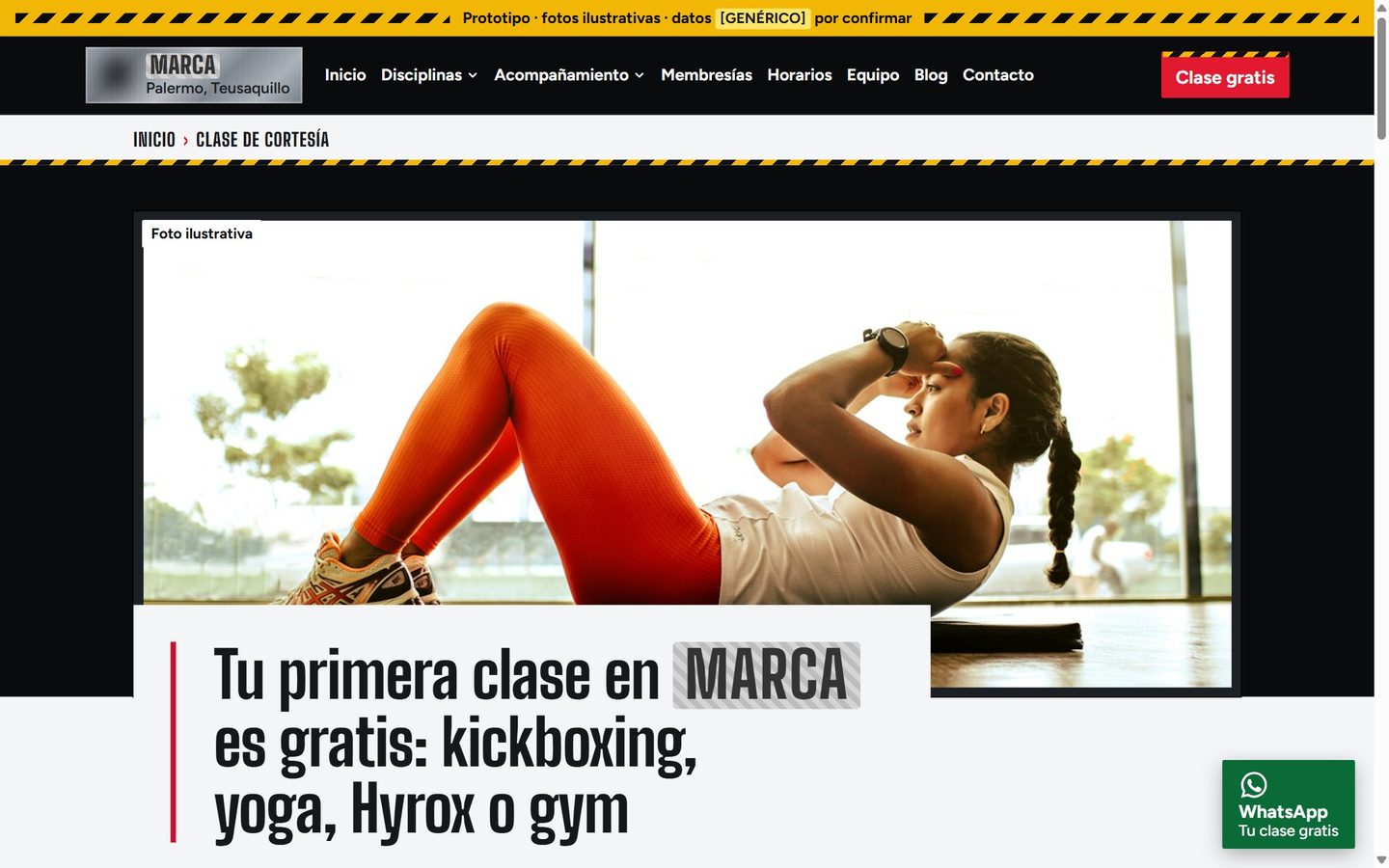
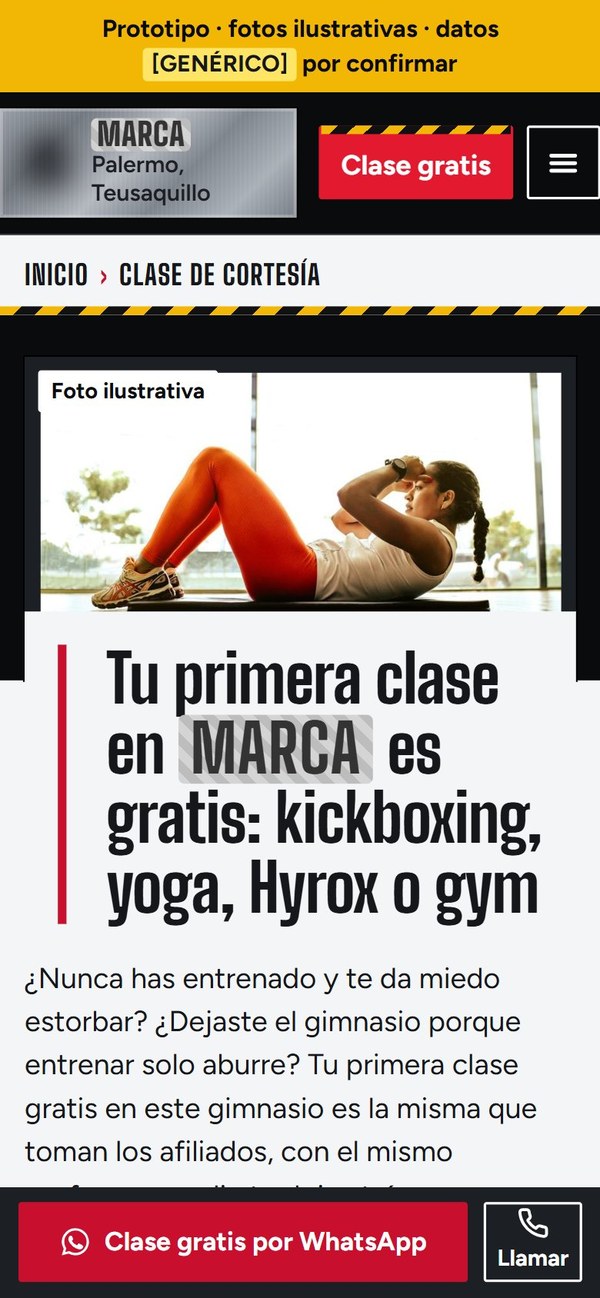
Screenshots from Oct 26, 2026.
On the phone, a single column in the order people decide.
Print shop · home page
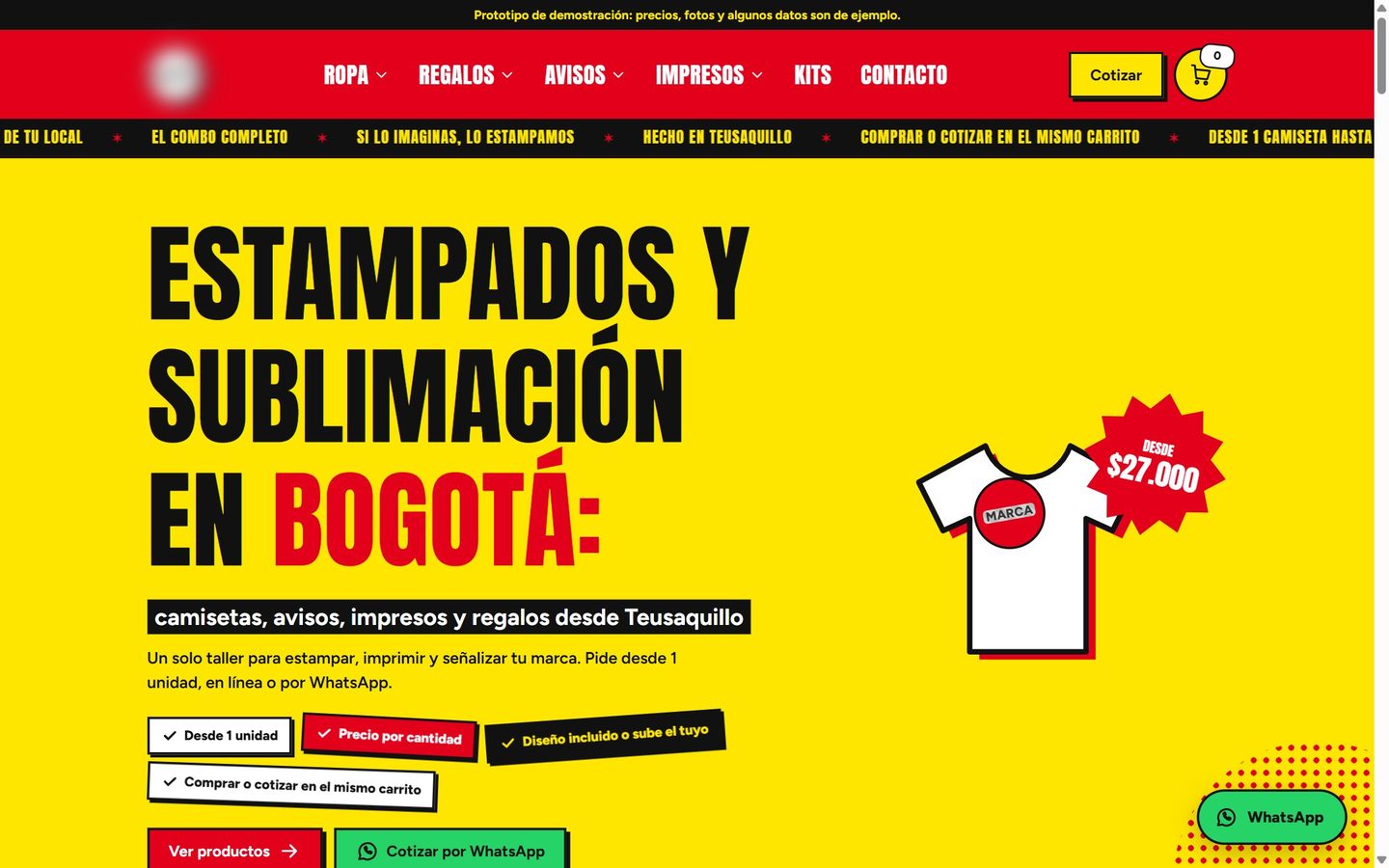
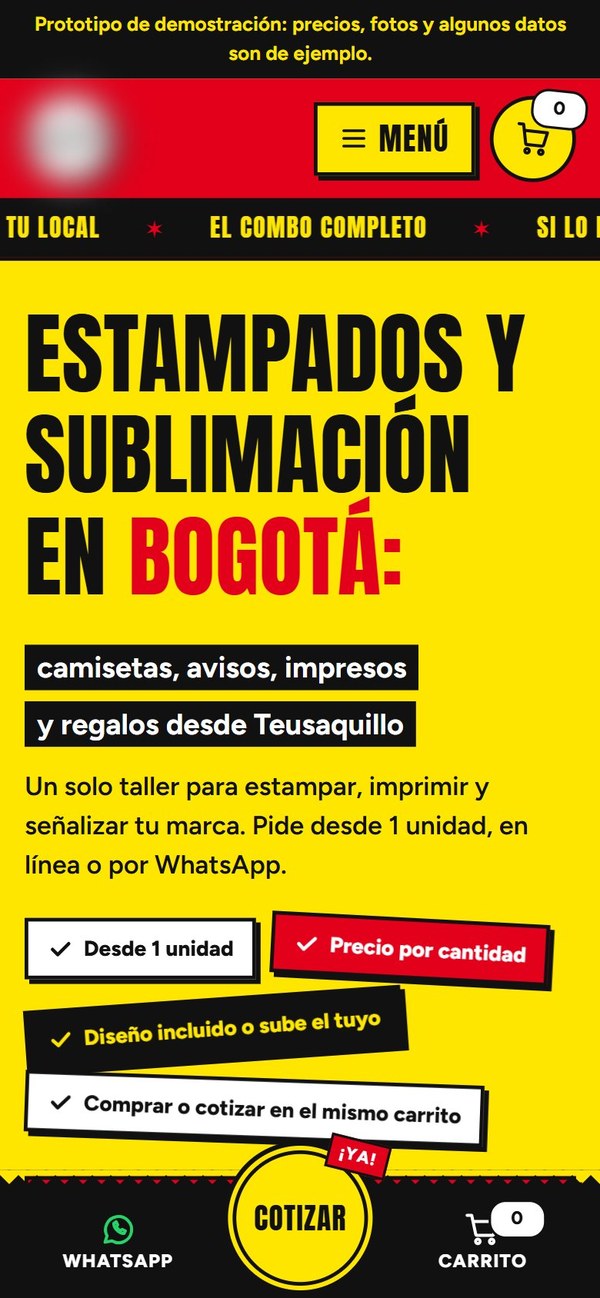
PageSpeed Insights mobile, median of 3 runs, Oct 29, 2026: 99 for performance and 100 for accessibility.
Quote sits in the middle of the bar, within thumb reach.
Print shop · product page
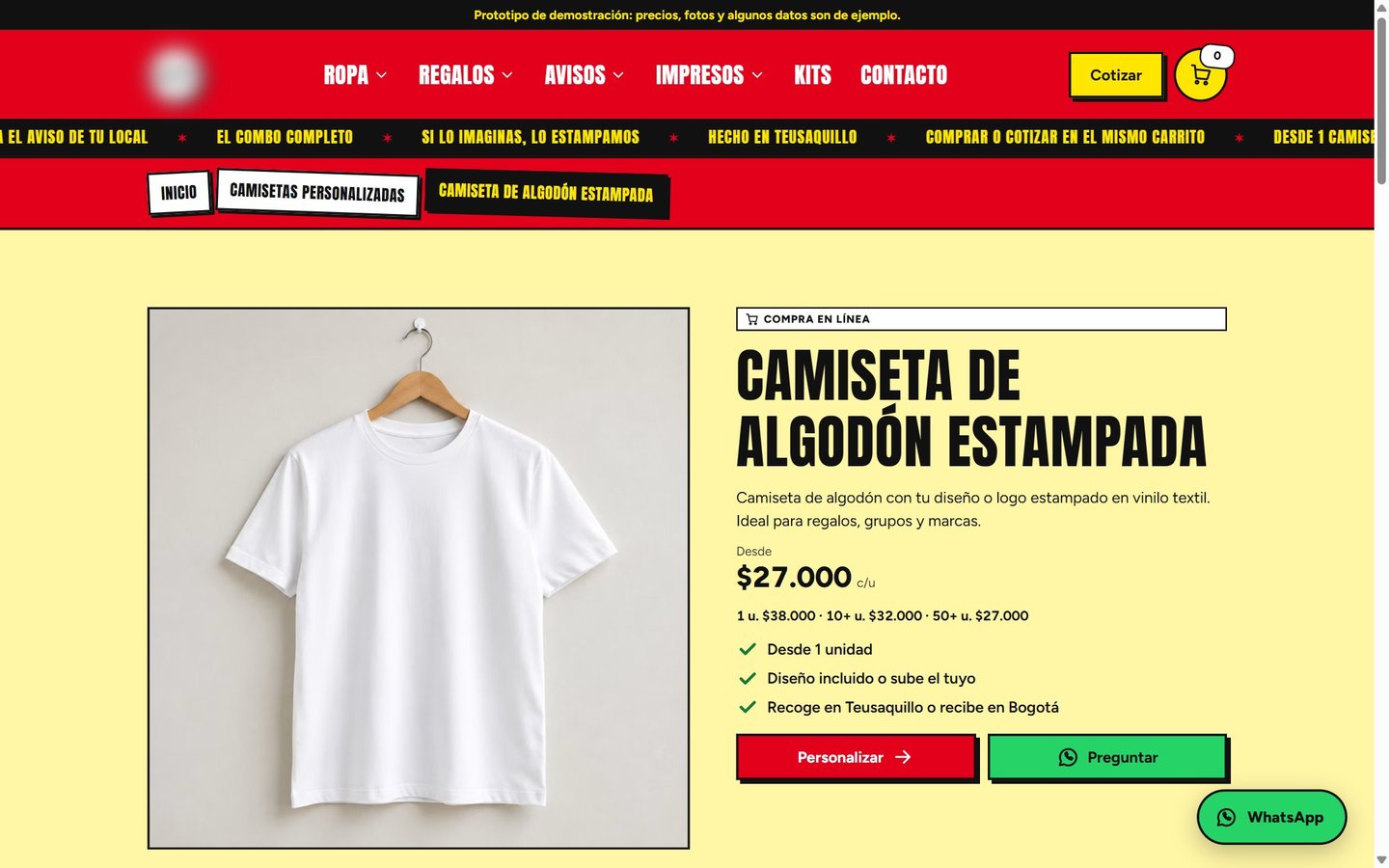
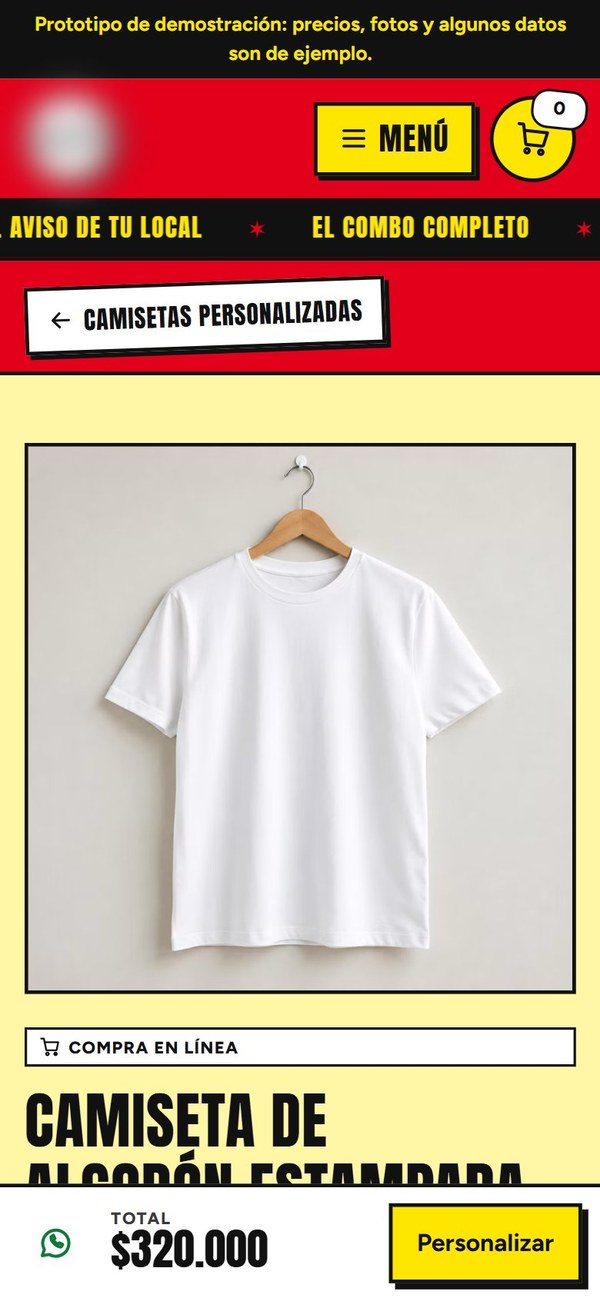
Sample prices in the prototype.
The price is in sight before ordering.
Before you pick colors and font sizes, think about people with low vision
At least 2.2 billion people have a near or distance vision impairment (WHO, 2026). If you build websites, they're your audience too: the business owner reading without glasses on a phone, or anyone opening your page in bright sunlight.
That's why, before the brand color, I decide three things:
Font size. On the gym site, body text is 18 px or larger on mobile, because part of its audience has low vision.
Contrast. Every text needs 4.5 to 1 against its background, or 3 to 1 if it's large (WCAG 2.2, success criterion 1.4.3).
Button size. About 48 pixels, with 8 pixels of spacing, so nobody taps the wrong one (Google, web.dev).
A 100 for accessibility in PageSpeed isn't enough. I measured every text against the background behind it, on desktop and on mobile: 806 texts across both sites. The tool flagged 11 below the minimum, and I checked each one in the browser. The real problem was a dark red link on black, and I fixed it. The rest were measurement errors: a gray the tool couldn't read and a pinned bar covering the text.
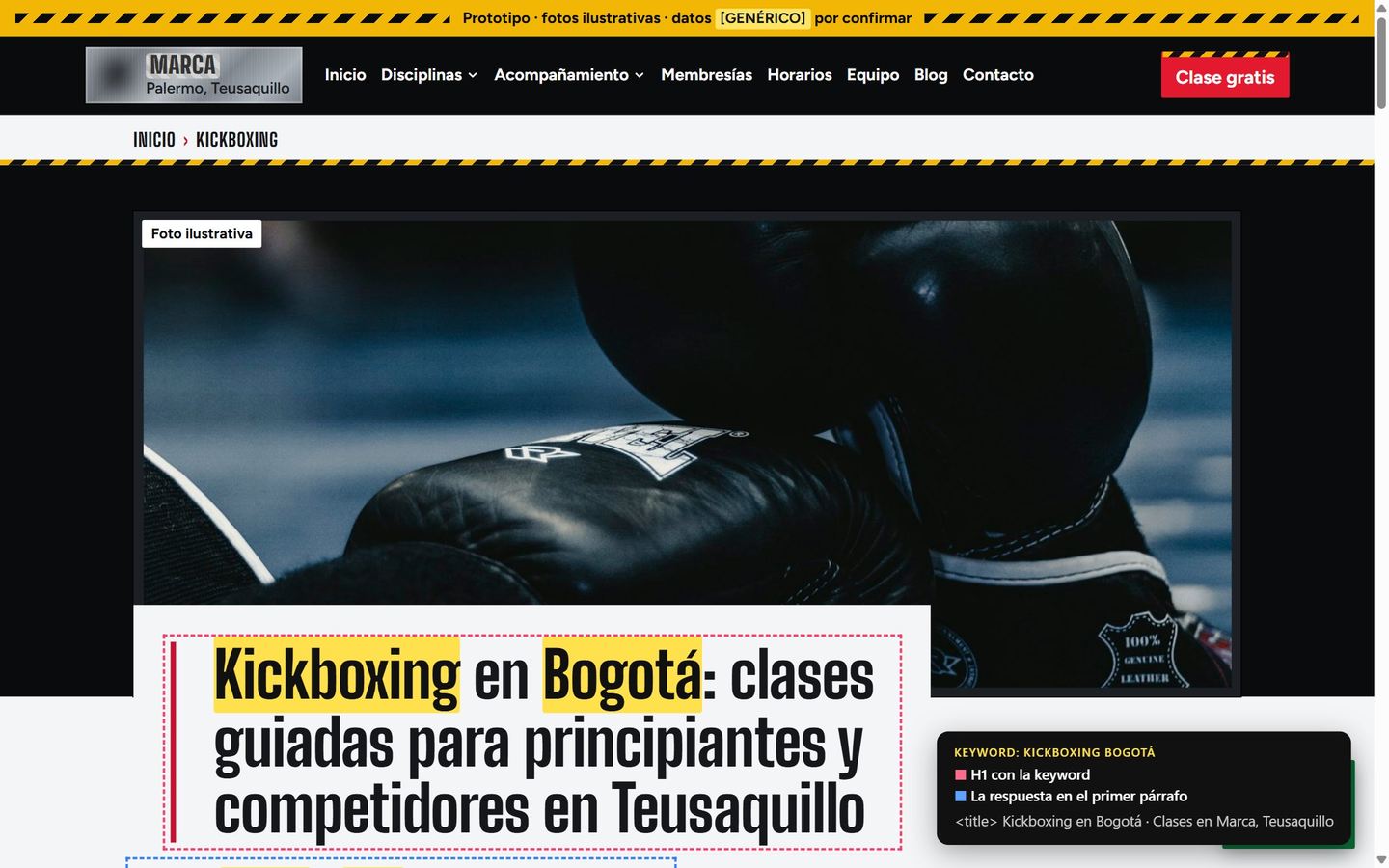
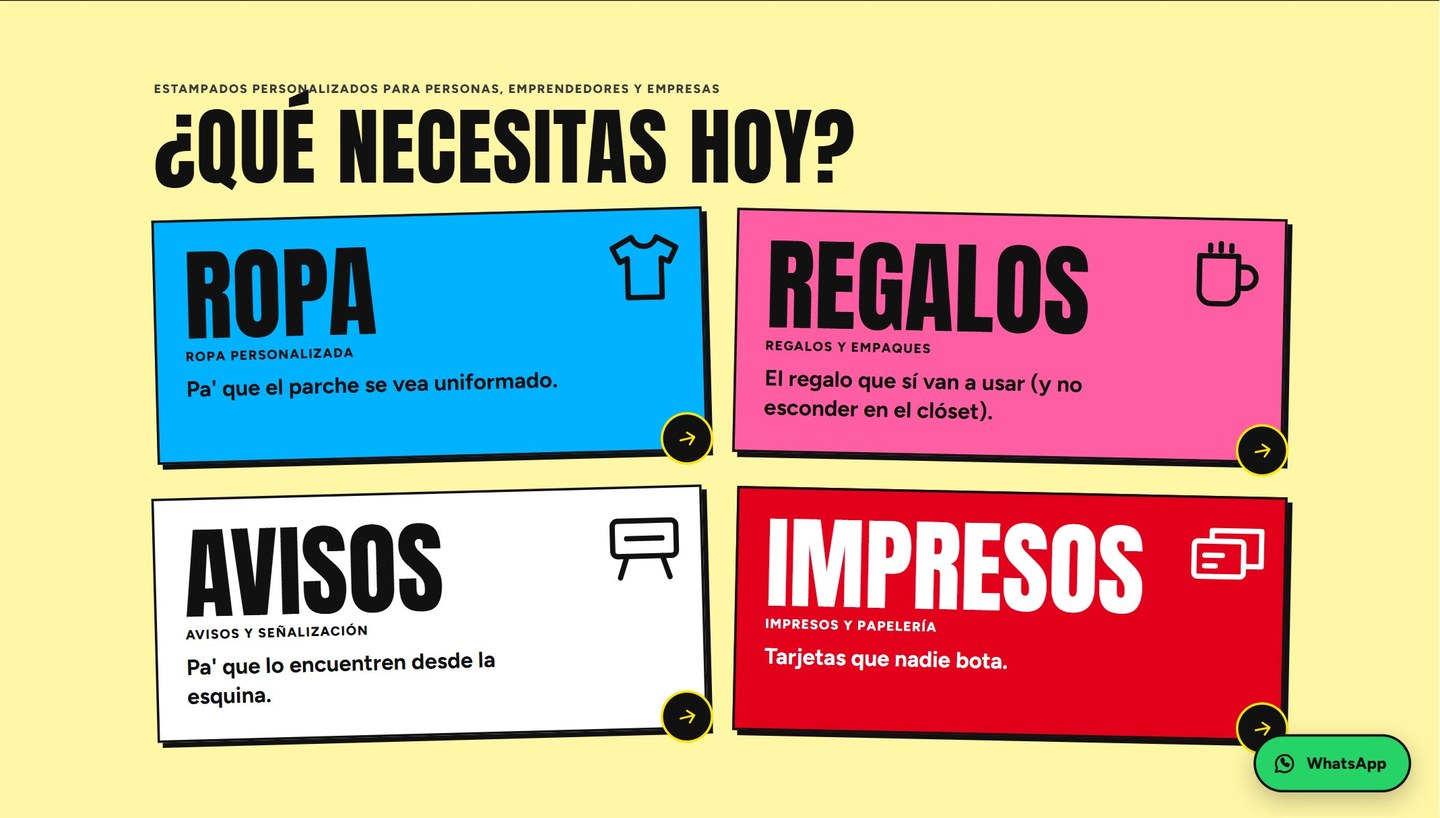
Text at 18 px or larger on mobile; contrast measured text by text with Cayu (audit_rendered_contrast), Oct 29, 2026.
Prototype with the business name hidden and illustrative photos.
A gym: one page per search, and the free class always within reach
I built the site from 253 measured searches: one URL per intent and two ways in, the free class and the assessment session. The coaching ladder has one page per level, and the blog answers before it sells. Website speed optimization sells too: nobody waits for a slow site.
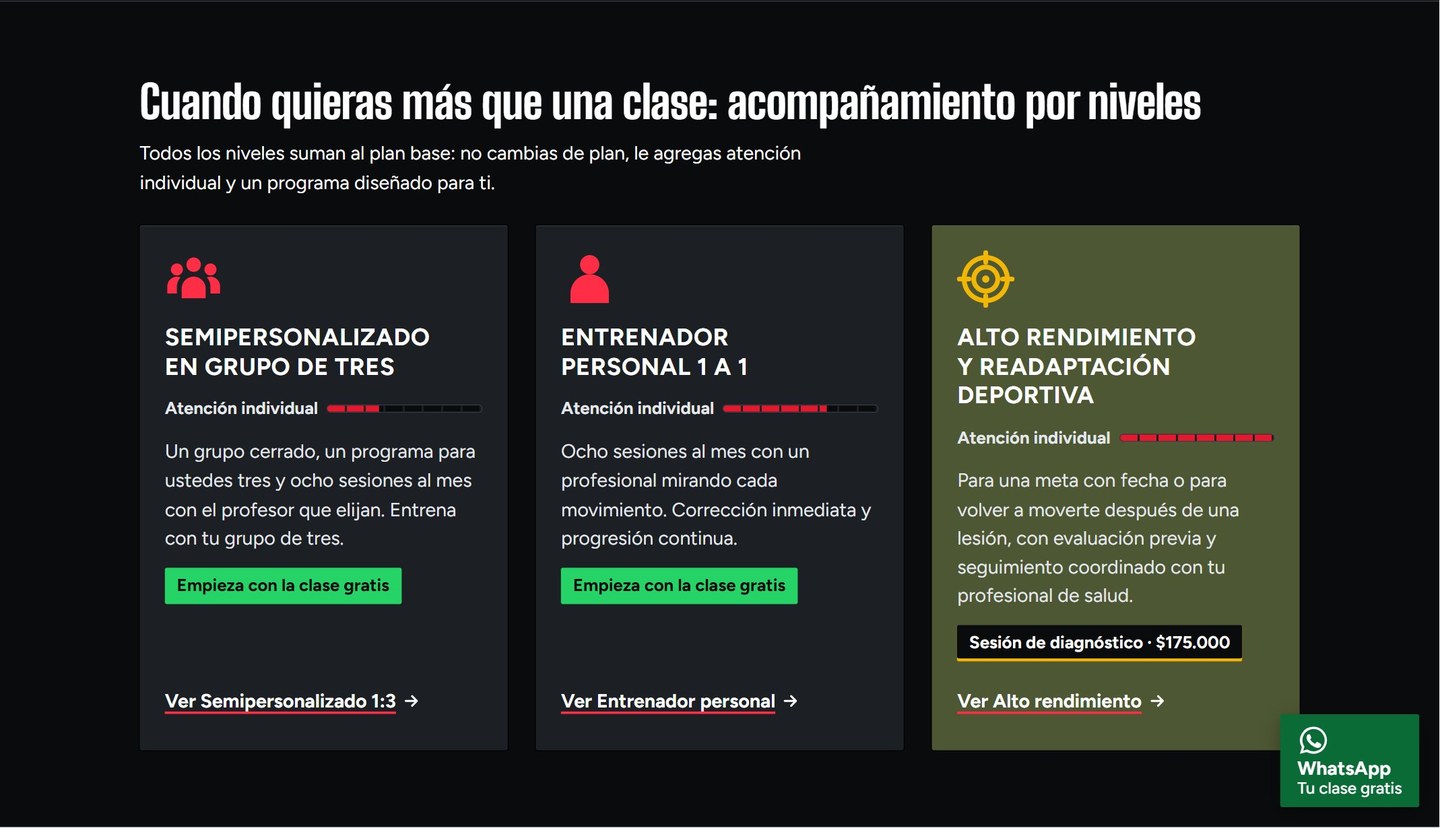
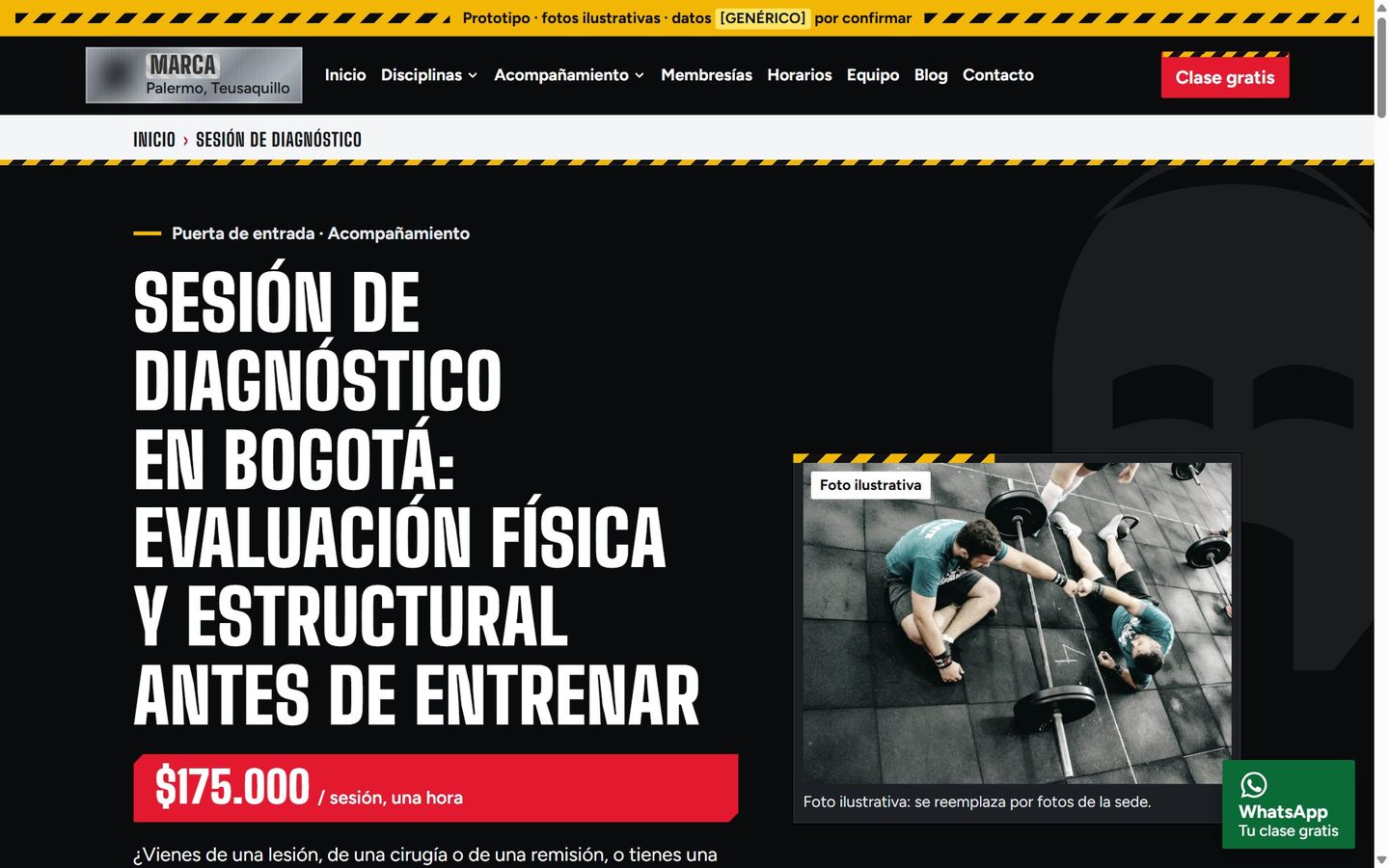
Screenshots from Oct 26, 2026 (the sites are in Spanish).
Prototype with the business name hidden and illustrative photos.
Gym · a blog guide
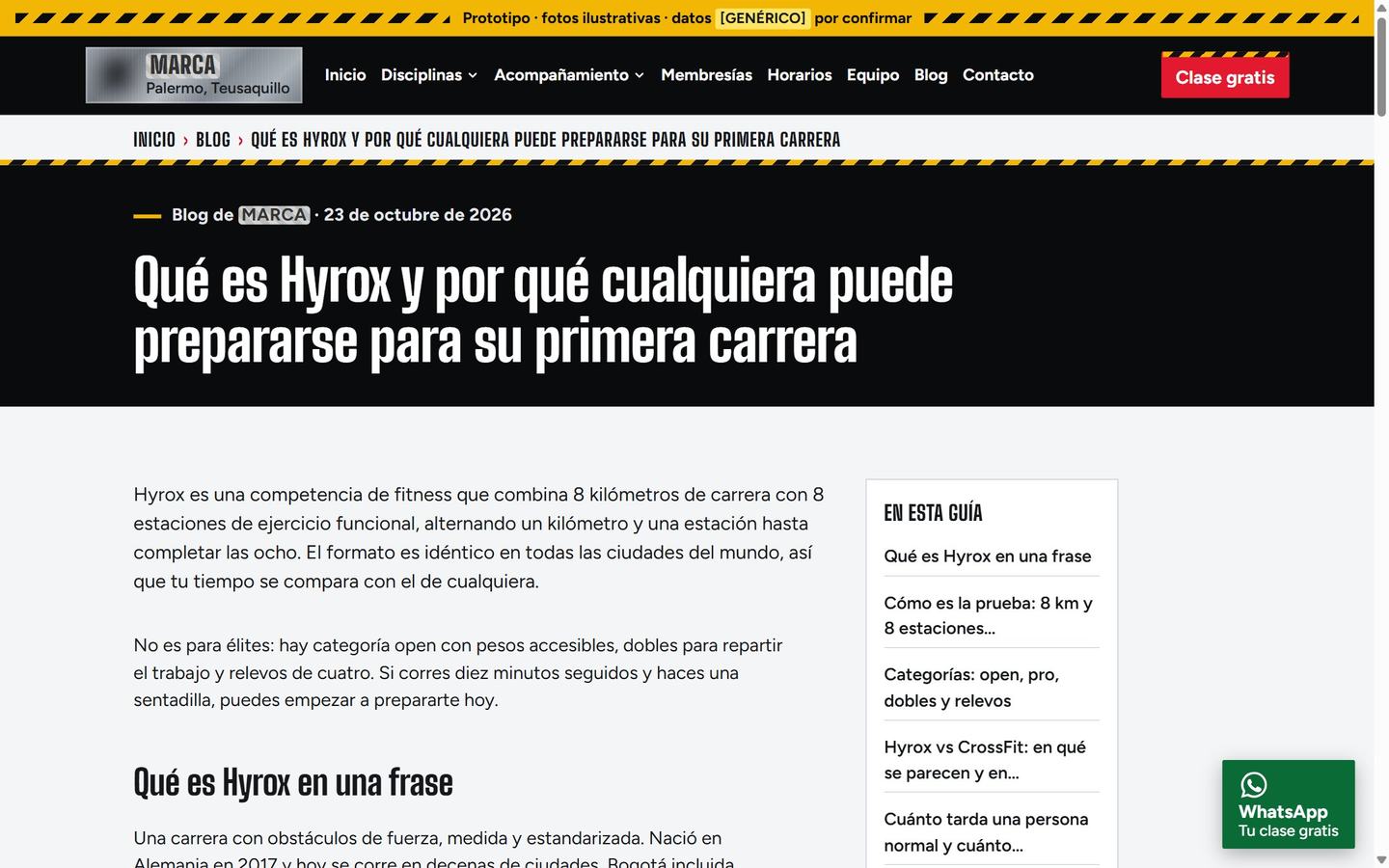
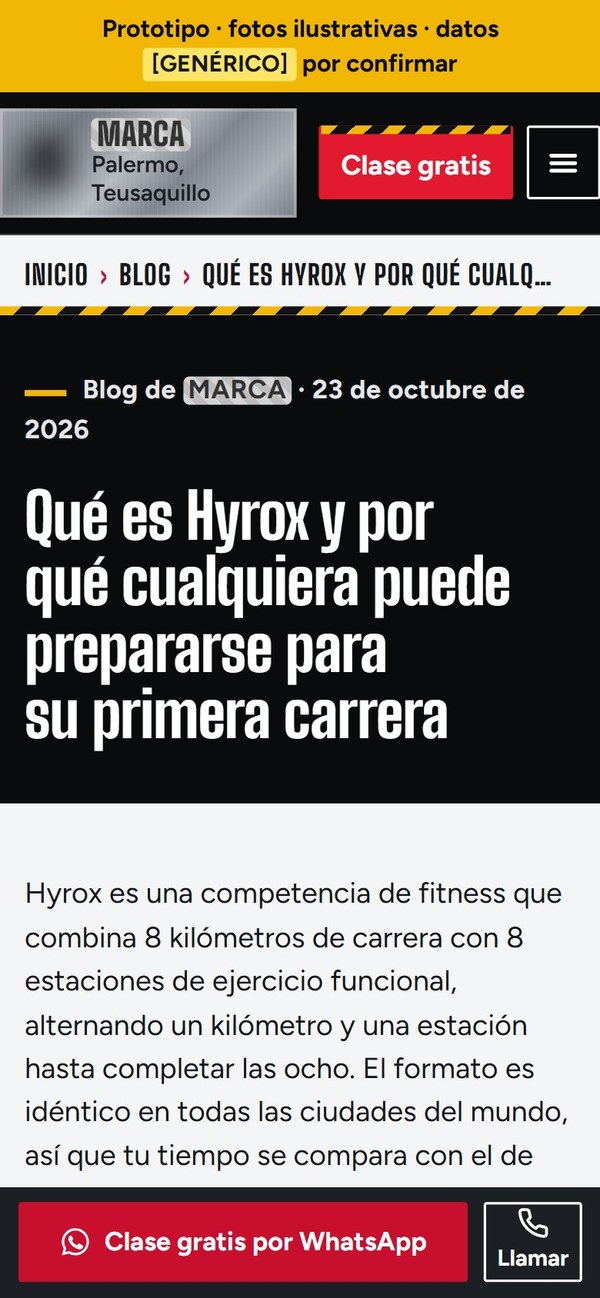
Screenshots from Oct 26, 2026.
The blog answers before it sells.
A print shop: a catalog people can buy from on their phone
61 pages across four departments, 35 product pages and a quote tool priced by quantity. Each category answers a measured local search, and I ordered the kits like a ladder: from one product to the business's whole look. Ordering is explained in four steps, so nobody has to ask how to buy.
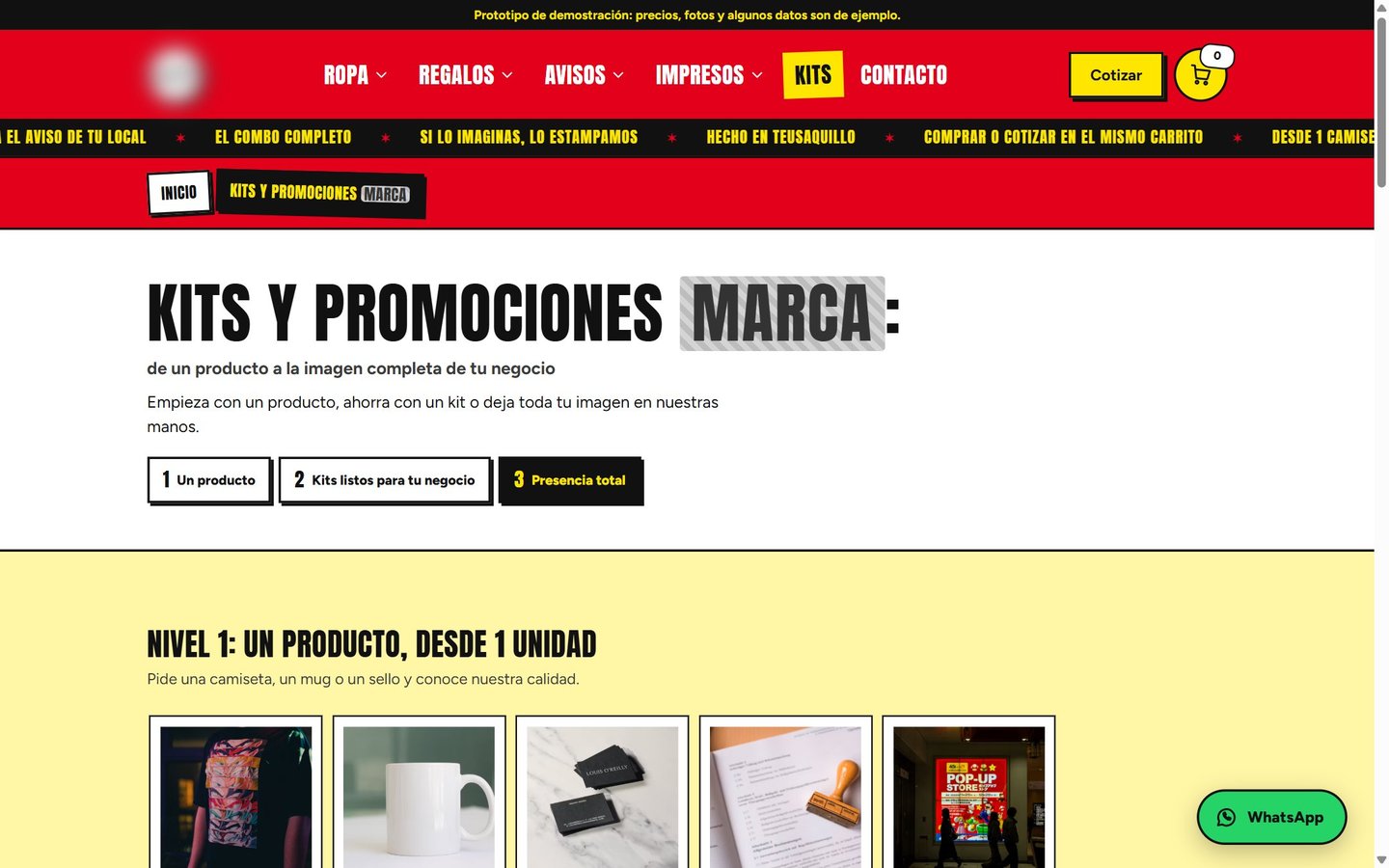
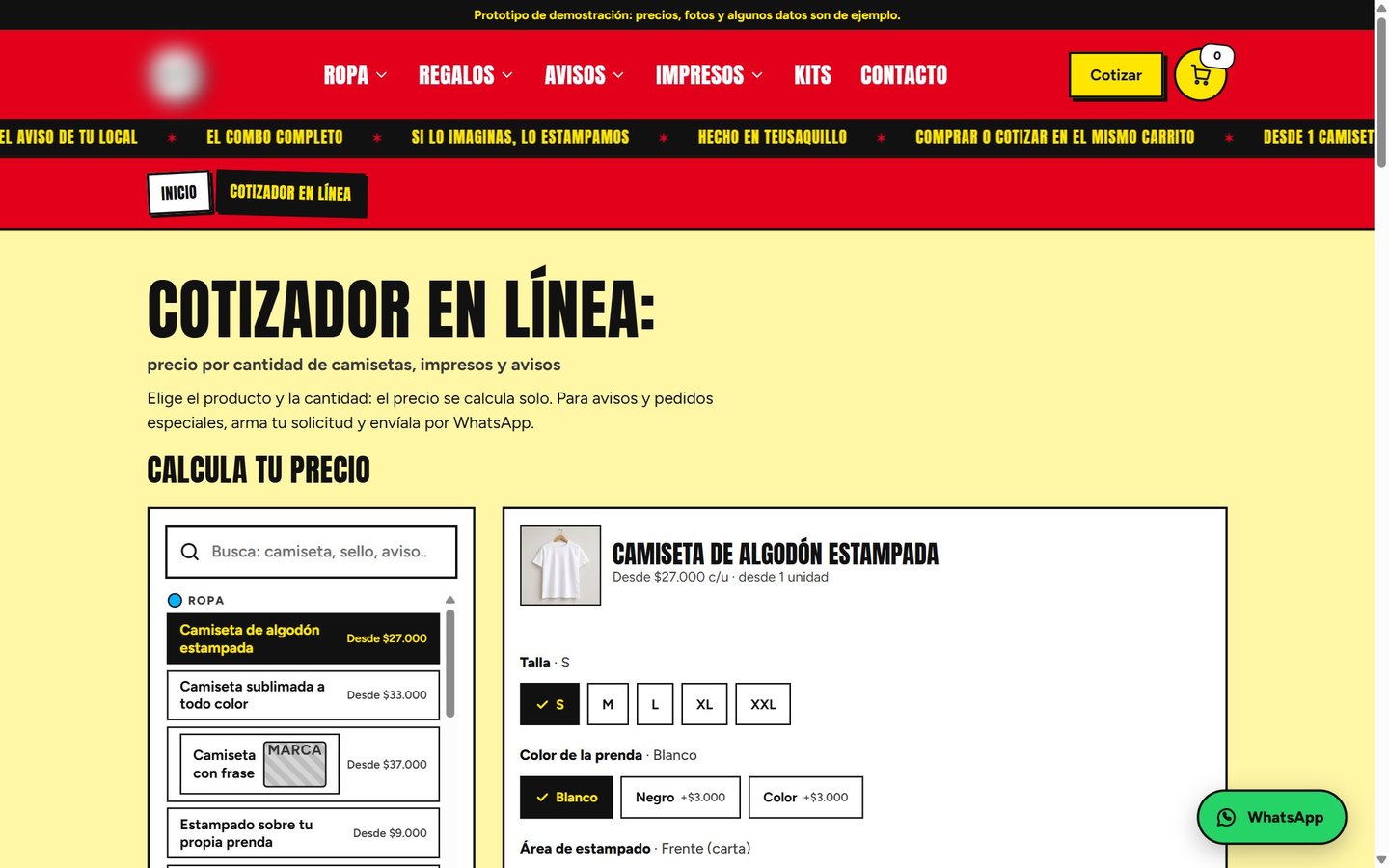
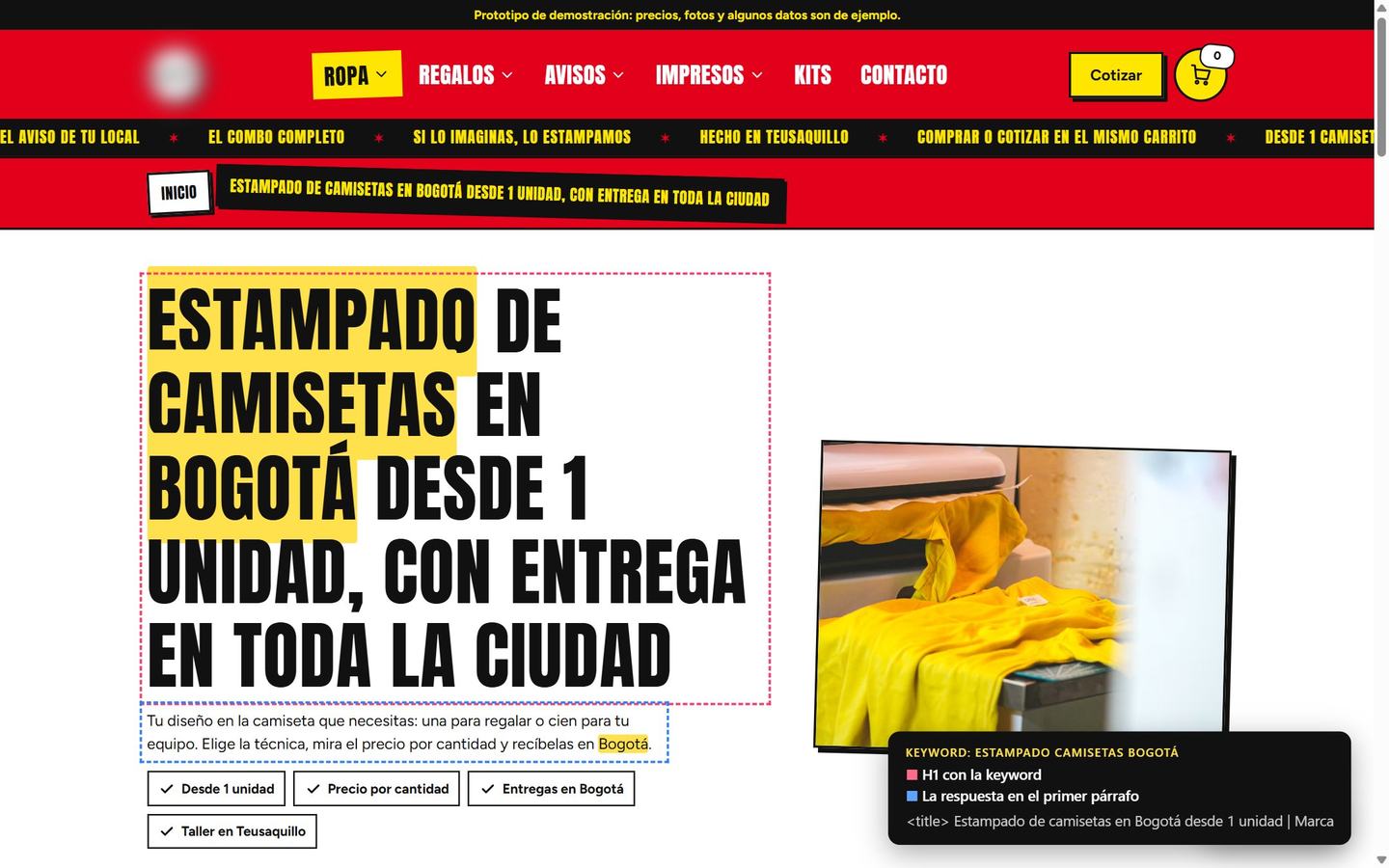
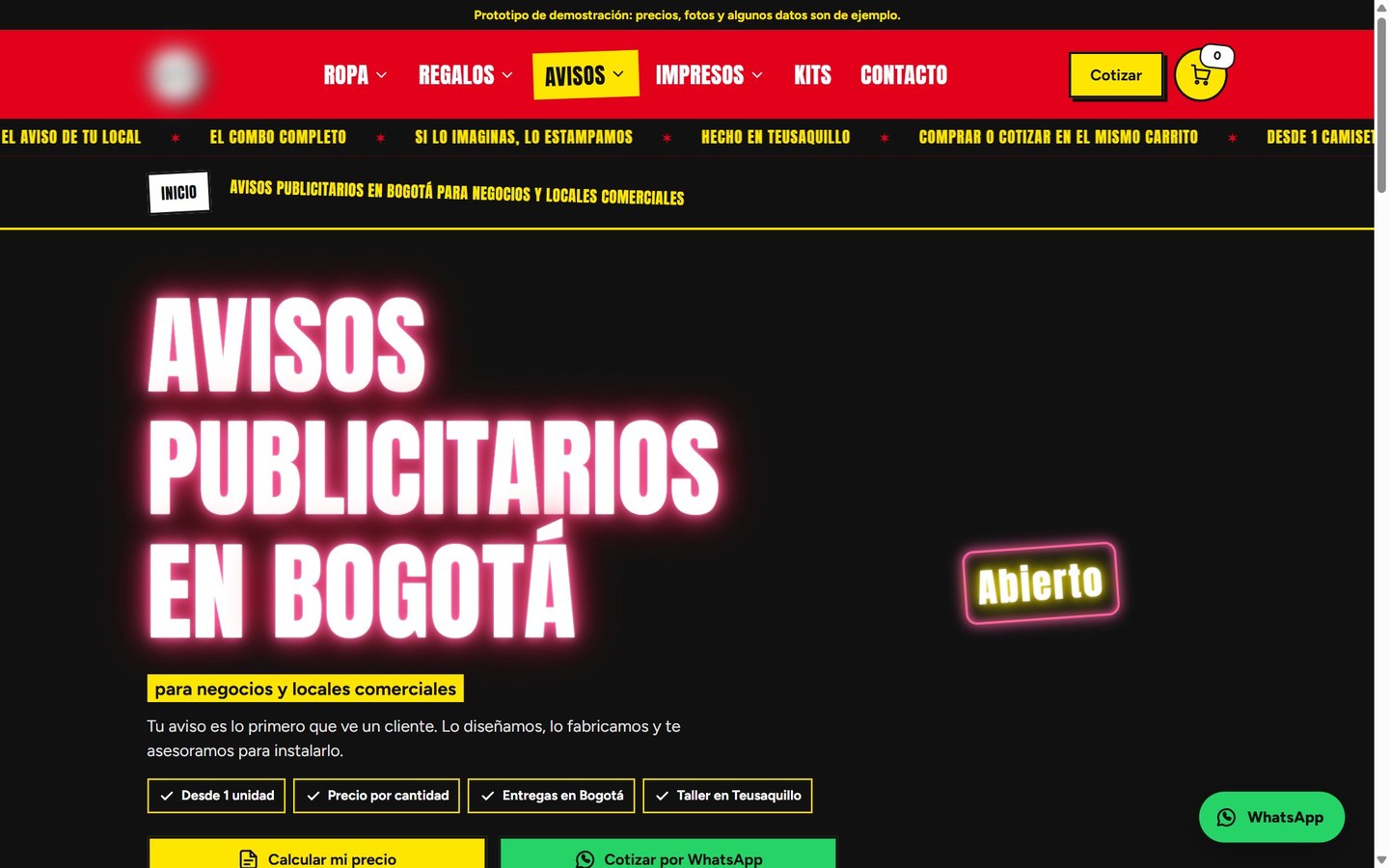
Sample prices in the prototype.
Prototype with the business name hidden and illustrative photos.
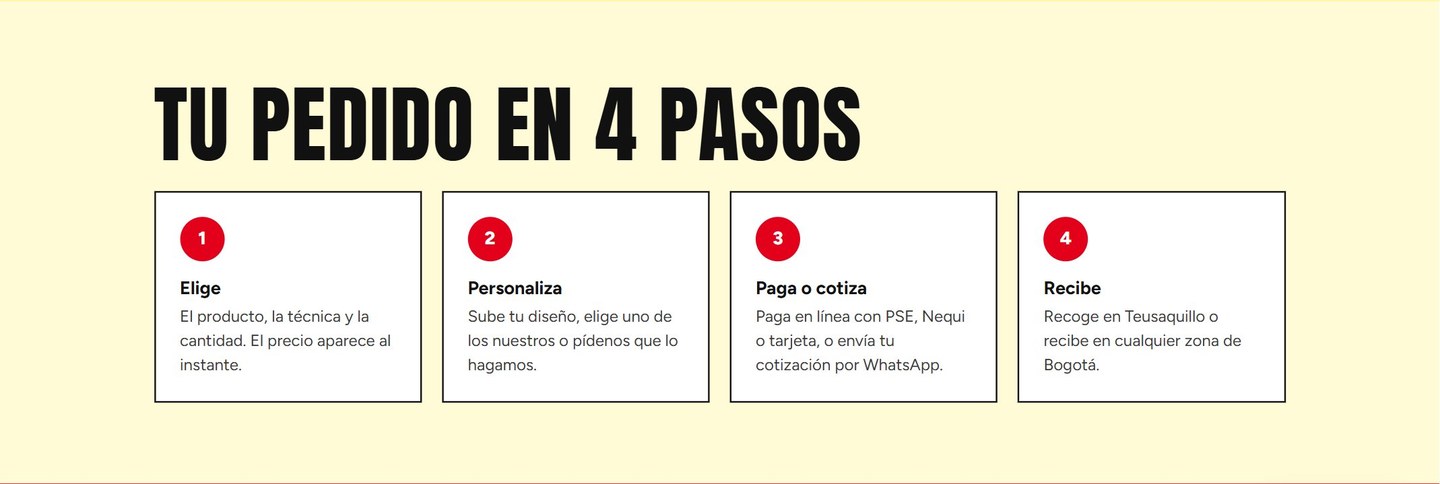
Ordering, in four steps
Screenshot from Oct 26, 2026.
Nobody has to ask how to buy.
The method behind this web design case study, always in the same order
The offer first: who it's for, what isn't promised and what the next step is.
Real searches: what people type and the intent behind each search.
The architecture: one URL per intent, no filler pages.
Design for the phone: the main button within thumb reach and a fast page.
Measurement all the way to the conversation, then adjusting to what the data says.
I build the sites with AI: I specify them, generate them with Claude Code and verify them in production. Here's how I build a website with AI.